

A patient researching a new provider may now ask an AI platform for a recommendation instead of starting with a list of links. An AI answer is a synthesized response generated from information a platform retrieves, rather than a list of links for the user to browse. Patients may use conversational tools to research care, but it can be hard for a practice to know whether its information appears. We can help practices make accurate details easier to find and understand, without promising that any platform will recommend them.
Traditional search still matters, and so does a practice’s standing across websites and search engines. But patient discovery can begin in more than one place. A clear online identity gives patients a better chance to understand who provides care, what services are offered, and where the practice works. The first step is understanding how these discovery paths differ.
Key Takeaways
- AI answers may shape how patients research providers.
- Clear practice information helps people and platforms understand services.
- Useful medical content should be accurate and easy to check.
- Traditional search remains part of patient discovery.
- AI visibility can create opportunities, but cannot guarantee patient leads.
How AI Answers Change Patient Discovery
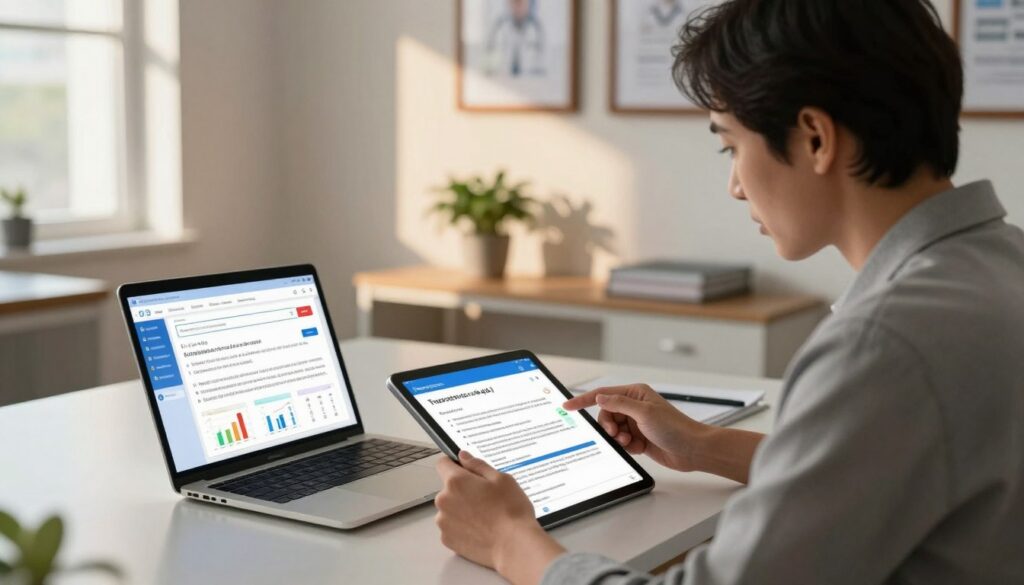
A traditional search usually gives the patient links to inspect, while an AI answer may summarize information before the patient visits any site. That difference can affect how a practice enters the patient’s view. Traditional search remains relevant because patients still browse search results to compare providers and services.
An AI answer may satisfy a patient’s question without a click to a practice website. The patient might then ask a follow-up question, visit a named practice, or keep researching elsewhere. An answer can draw on related websites and present selected information in one response.
An AI answer may address a patient’s question before the patient visits any practice website.
| Discovery stage | Traditional search | AI answer |
|---|---|---|
| User action | Types a phrase and browses links | Asks a conversational question and reads a synthesized response |
| What the user sees | Multiple website links | Selected information that may name or cite sources |
| Practice opportunity | Visibility in search results | Inclusion or citation in an answer |
The answer may mention a practice, cite a page, or leave both out. A patient who sees a helpful response may not need to open every site listed in traditional search. That makes the content included in the response important, even when the practice’s website has useful details.
We should not treat an AI answer as a replacement for traditional search. Patients use different paths at different times, and many still want to check a practice website before booking. A practice that is absent from the response can be overlooked by patients who rely on that discovery path.
How Doctors Acquire Patients From AI Answer Engines
A practice improves its chance of being found when its expertise, services, and location are described clearly across trustworthy online information. Clear details help a patient see whether the practice may fit their needs. They also help AI answer engines connect a physician with relevant care.
Practices need accurate service, specialty, location, and physician information, backed by useful content for patients. A page about a treatment should explain what the practice offers and who provides it. A location page should state where care is available, using details that match the practice’s other profiles.
Patients often ask practical questions before they contact a provider. They may want to know what a service involves, who may be a candidate, or how to reach the office. Content that answers those questions can make the practice’s experience easier to understand.
A platform may mention or cite a practice when it retrieves relevant information. That mention is a discovery opportunity, not a promise of a recommendation or new patient. A visible answer can still lead a person to compare options before choosing care.
If a practice does not appear in an answer, patients using that path may never find it. That risk does not mean every answer should promote a practice. Accurate information serves patients first and gives platforms a sound basis for describing the practice.
Traditional SEO remains useful because search engines still help patients find and compare care. Practices can support both paths by keeping key facts clear and making educational content easy to understand. The general goal is consistent, relevant information, not a guaranteed position.
That goal raises a practical question: which tools should a practice check for its specialty and location?
Which AI Platforms Should Medical Practices Monitor?
A practice can start with the tools patients are most likely to encounter, then check other platforms for relevant specialty and location questions. Different tools may present information in different ways. Monitoring more than one platform gives a broader view of what patients may see.
Check several platforms because patients may use different tools for research. Results can vary by question, and a practice’s absence from one answer does not prove it is absent everywhere. We recommend recording the prompt and the platform when checking visibility.
| Platform | Typical function | Practice visibility check |
|---|---|---|
| ChatGPT | Brainstorming and writing | Test relevant patient and provider prompts |
| Gemini | Google’s AI tool and AI Overviews | Review relevant conversational and Google search queries |
| Copilot | Assistant within Microsoft applications | Check whether accurate practice information appears in relevant searches |
| Claude | Long-text summaries and coding assistance | Test specialty questions and confirm any cited practice details |
| Perplexity | Web research with cited sources | Check whether practice pages or other authoritative information are cited |
ChatGPT is used for brainstorming and writing tasks. Gemini is Google’s AI tool and powers AI Overviews in Google search results. Those Overviews can make the search experience different from a page of links.
Copilot works within Microsoft applications, including Word, Excel, PowerPoint, and Teams. Claude can summarize long texts and assist with coding. Perplexity offers web search with cited sources, which can make it easier to see which pages support a response.
We do not need to test every possible prompt. Start with common questions about the specialty, services, and locations, then repeat the same prompts over time. Consistent checks make it easier to spot changes and verify whether practice facts appear correctly.
A platform’s answer is not a clinical source, even when it names a provider. Patients should confirm medical guidance with a health professional. For discovery, visibility across platforms depends on clear, trustworthy medical information.
What Makes Medical Information Trustworthy?
Trustworthy medical content identifies who is responsible for it and gives readers a way to check its claims. Clear responsibility matters because patients may find care information outside the practice’s own website. They need to know whether a physician wrote or reviewed the page.
Medical content should name its author or clinical reviewer, show relevant credentials, and cite reputable sources. Practices can draw on recognized medical organizations and journals when explaining general health topics. A source should support the claim it appears beside, not just lend a page an air of authority.
AI tools can combine accurate information with misinformation, show bias, or invent details. A smooth response can still be wrong. It may also lose context, such as a small word that changes the meaning of a statement.
For example, leaving out “not” can reverse medical advice. That missing word may make a warning sound like a recommendation. Readers should confirm medical guidance with a health professional rather than treating an AI answer as clinical direction.
Practice content should also separate general education from advice for one person. A page can explain common treatment options without claiming that a specific treatment suits every patient. A clinician can assess personal needs during care.
Readers may also share sensitive health details while asking a tool questions. We advise against sharing personal medical information unless the user understands that tool’s privacy protections. A general question about a treatment does not need a patient’s name or full medical history.
Trust grows when the reader can check who stands behind a claim and where it came from. Careful sourcing and clear limits help patients make sense of educational content. The next step is arranging that content so useful answers are easy to find.
How to Structure Pages Around Patient Questions
A patient asking whether a treatment is right for them should find a clear answer before a long explanation. A direct opening respects the reader’s time and helps search systems identify the page’s focus. Then the page can add the detail that supports a sound decision.
Answer the patient’s specific question plainly in the opening sentence. Use the rest of the page to explain eligibility, preparation, risks, recovery, or next steps when relevant. Do not make a patient search through general background to find the point.
Give a direct answer before adding detail
A useful answer stays focused on one clear question. The writer can check that the opening is understandable and that the page gives patients a sensible next step.
- Address one clear patient question.
- Use plain language and explain medical terms.
- Identify the responsible clinician.
- Separate general information from personal advice.
- Link to a related service or contact page.
For example, a page about a procedure can state who may be a candidate, while making clear that a clinician must assess each person. This gives readers a direct answer without promising that the procedure will suit them.
Organize treatment information into useful sections
Use headings for distinct questions or ideas, then keep paragraphs to two or three sentences. Scannable sections help patients find the detail they need without reading every line first.
A procedure page can cover who may be a candidate, what happens, how to prepare, possible risks, and recovery. A heading for each topic gives the page a clear shape. Use bullets for lists of three or more items, and numbered steps when order matters.
One easy mistake is to bury the answer beneath a long general introduction. Patients often arrive with a specific concern, not a request for a broad history of the condition. Put the answer near the top, then add context that helps readers understand it.
Clear page structure can make an answer easier to locate, but readers also need to know who is responsible for it. That means making physician and practice expertise verifiable.
How to Make Physician and Practice Expertise Verifiable
A medical page is easier to trust when readers can identify the clinician responsible for its content. Visible expertise helps patients judge whether a page fits their question. It also connects the information to a real physician and practice.
Name the physician or reviewer and keep the practice’s public details consistent. Clinical review should be genuine, not a name added to a page without review. Readers need a clear account of who wrote or checked the medical information.
Show who wrote or reviewed each medical page
Each medical page should name its physician author or clinical reviewer. Include relevant credentials and specialty, then explain the person’s role in reviewing the content. A short bio can tell patients what the clinician does and whom they serve.
The bio should match the physician’s other public profiles. If a profile lists a different specialty or role, patients may wonder which information is current. We can help practices keep those details aligned across their website and listings.
Connect the practice to its services and locations
Keep the practice name, address, phone number, specialty, service locations, and offered services consistent. Small conflicts can make it harder for patients to know which details are current. They can also make the practice harder for search engines to connect with a service or clinician.
Structured data is a set of labels added to website information for machines as well as people. It can identify a clinician, an organization, or a service in a clear format. The visible page still needs to state the same facts in plain language.
Telehealth practices should describe their service area accurately. They should not imply that they have a local office where none exists. This distinction protects trust and helps patients understand where they can receive care.
Practices that want to build local visibility can also review local SEO for doctor reputation management. Consistent practice details support that work, along with clear physician profiles. A connected identity is one part of the picture; a useful library of patient content shows depth across a specialty.
How to Build a Useful Medical Content Library
A single service page may answer one question, but related pages can help patients understand a specialty more fully. A connected set of pages can follow the concerns people have before, during, and after care. Internal links help readers move between those topics.
Plan related pages around real patient needs, not just a list of services. A specialty library can cover conditions, treatment options, candidacy, risks, preparation, recovery, and follow-up. Each page should add useful detail rather than repeat another page.
Cover a specialty from the patient’s point of view
Consider what patients want to know before they contact a practice. A connected set of topics might include:
- Symptoms and evaluation.
- Treatment choices.
- What to expect before and after care.
- When to contact the practice.
Link related pages where a reader may want more detail. For instance, a treatment page can connect to a page about preparation or recovery. Those links help patients follow their questions without starting a new search.
Refresh information as care and services change
Review existing content once or twice per year, and sooner when a service, clinician, or clinical recommendation changes. Timely updates help prevent a page from giving patients an outdated picture of care.
Check service pages, clinician bios, contact details, and educational information. A common oversight is updating the blog while leaving an old clinician bio or service description live. Those core pages can matter just as much to a patient deciding whether to call.
Keep a simple record of which pages were reviewed and what changed. That makes it easier for a practice team to spot older pages during its next review. The content patients can reach is only useful if the website loads and works reliably.
How to Improve Local and Technical Discoverability
A well-written page cannot help a patient who cannot load it or work out how to contact the practice. Basic access matters for patients using phones, tablets, and computers. It also helps search engines reach and understand the site.
Make sure the site works on common screens, loads in under five seconds, and gives patients a clear contact path. Under three seconds is a stronger page-speed target. Slow pages can frustrate visitors before they see the information they came for.
| Site factor | What to check | Why it matters |
|---|---|---|
| Mobile display | Pages and text work on phones and tablets | Patients can use information on common screens |
| Page speed | Loads in under five seconds; aim for under three | Slow loading can frustrate visitors |
| HTTPS | Site uses an encrypted connection | Helps protect information exchanged with the site |
| Site structure | Home, contact, services, conditions, and education are easy to find | Visitors and crawlers can understand the practice’s offerings |
A mobile-responsive site adjusts to phone and tablet screens. Check that text remains readable and that forms and menus work on those devices. A patient should not need to zoom in or hunt for a phone number.
HTTPS encrypts the connection between a website and its visitors. It helps protect information exchanged with the site, but it does not prove that medical claims are reliable. Clinical content still needs sound review and reputable sources.
Local information should match across the website and public listings. Make sure the practice name, location, phone number, and service area are accurate. A clear contact or appointment path helps patients act when they are ready.
For local visibility, practices can review local SEO steps for medical practices.
The pages patients need should be easy to reach from the home page. Keep services, conditions, and educational resources organized in a way that makes sense to visitors. Once those basics are in place, a practice can check what patients and AI platforms actually find.